Obsidian plugin
See the files Obsidian hides.
Obsidian only shows Markdown and a few media types. Loupe reveals the rest — Office docs, HTML, spreadsheets, JSON and 50+ code & config formats — and previews them right in the file explorer.
Free & open source (MIT) · Desktop · Local & private — nothing leaves your machine.
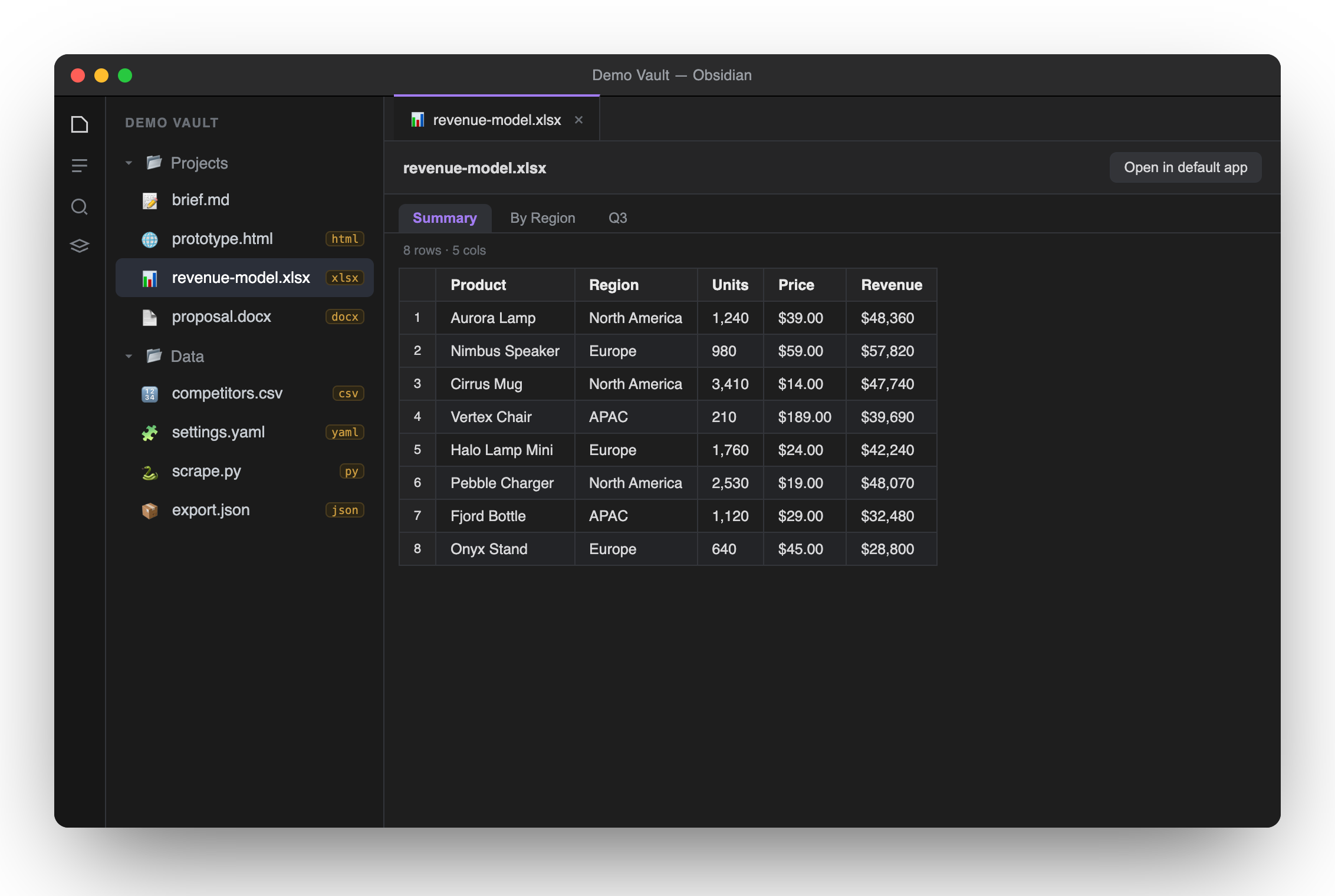
Demo vault — your .xlsx / .docx / .html & code files, previewed right inside Obsidian.
// now everything shows
One plugin, every format you keep next to your notes.
Web
Sandboxed iframe — interactive prototypes run.
Spreadsheets
Multi-sheet tabs, rendered as tables.
Delimited
Quote-aware table with row numbers.
Word
Converted to clean HTML on the fly.
Data
Pretty-printed & syntax-highlighted.
Code & config (50+)
Highlighted with Obsidian's own engine.
// why loupe
Built to sit quietly next to your vault.
◎Preview inline
Click a file in the explorer and it opens in a real tab — tables, documents, running HTML — no round-trip to another app.
⇄Coexists cleanly
Each extension is claimed defensively. Already have a PDF or HTML viewer? Loupe steps aside — no conflicts.
🔒Local & private
Everything is parsed on your machine. No uploads, no network, no telemetry. Your files stay yours.
// install
Up and running in a minute.
Drop them into
<your-vault>/.obsidian/plugins/loupe/.In Obsidian: Settings → Community plugins, reload, and toggle Loupe on.
Click any
.xlsx, .docx, .html or code file in the explorer — it just opens.📦 Community store: Loupe is prepared for submission to the official Obsidian plugin directory. Until it's merged, install manually (above) or via BRAT using this repo.